
Connect your tools.
Automate your workflows.
Reclaim your time.
Strategic integration of email platforms, scheduling systems, CRMs, payment processors, and business tools—so everything communicates automatically.
For You IfCould Automation Help Your Business?
This service suits businesses losing hours to manual processes that should run automatically—and know it, but aren't sure how to fix it.
✦ You're manually copying data between platforms
✦ Customer communications are delayed or forgotten
✦ You spend time on repetitive tasks that could be automated
✦ Your tools don't communicate, creating information silos
Timeline
1–3 weeks
Approach
Native Squarespace, Zapier/Make, APIs
Includes
Workflow mapping, setup, testing, training
Common Use
Email, scheduling, CRM, payments, analytics
Starting From
£120 single integration
The ApproachWorkflow First, Tools Second
Strategic automation of repetitive work, not complexity for complexity's sake.
Integration here isn't just technical setup—it's workflow mapping. Before connecting anything, we examine how your business actually operates: where manual steps create bottlenecks, where data needs to flow between systems, where automation provides genuine value versus unnecessary complexity.
Some businesses need simple native connections—Squarespace form submissions adding contacts to Mailchimp, Acuity appointments syncing with Google Calendar. Others benefit from sophisticated multi-step workflows (Zapier/Make when needed): purchase triggers welcome sequence, creates CRM contact, sends Slack notification, updates inventory spreadsheet, schedules follow-up review request.
The distinction matters. This is one of those topics worth demystifying: When Your Website Needs Integrations — And When It Doesn't. Over-automation creates fragility; under-automation wastes time. The goal is strategic automation of genuinely repetitive work, leaving human judgement where it belongs.
Configuration includes testing, documentation, and training on what's happening behind the scenes. You'll understand how workflows function and how to adjust them as your business evolves. Integration isn't "set and forget"—tools update, needs change—but it shouldn't require constant technical intervention either.
What This Achieves
Eliminate manual data entry
Information flows between systems automatically without copy-pasting.
Ensure timely communications
Customers receive confirmations and reminders without you remembering to send them.
Keep systems synchronised
Calendars, contact databases, and marketing lists stay current automatically.
Free hours weekly
Redirect time from administrative tasks towards work that actually grows your business.
Improve customer experience
Professional, consistent communication happens reliably without manual effort.
Scale without chaos
Handle increased volume without proportionally increasing manual workload.
Service ComponentsFrom Planning to Running Smoothly
Workflow mapping, configuration, testing, and training—automation that actually works.
Strategy & Planning
- Current workflow mapping and bottleneck identification
- Tool assessment and integration recommendations
- Automation opportunity analysis
- Platform selection (native vs Zapier vs Make)
Configuration & Setup
- Email marketing platform integration
- Appointment scheduling and calendar syncing
- CRM connection and contact management
- Payment processing and transaction handling
- Form integration and lead capture automation
- Analytics and conversion tracking setup
Testing & Training
- Comprehensive workflow testing
- Error handling and notification setup
- Documentation of automation logic
- Training on managing and adjusting workflows
How it worksDiscover, Configure, Train, Support
A clear path from manual chaos to automated efficiency.

Discovery
Map current processes, identify manual bottlenecks, clarify automation priorities.

Configuration
Connect tools, build workflows, implement automation logic, test thoroughly.

Training
Explain what's happening, how to monitor it, how to adjust as needed.

Support
Post-implementation period ensuring everything runs reliably.
Recent projectsIntegrations That Transform Workflows
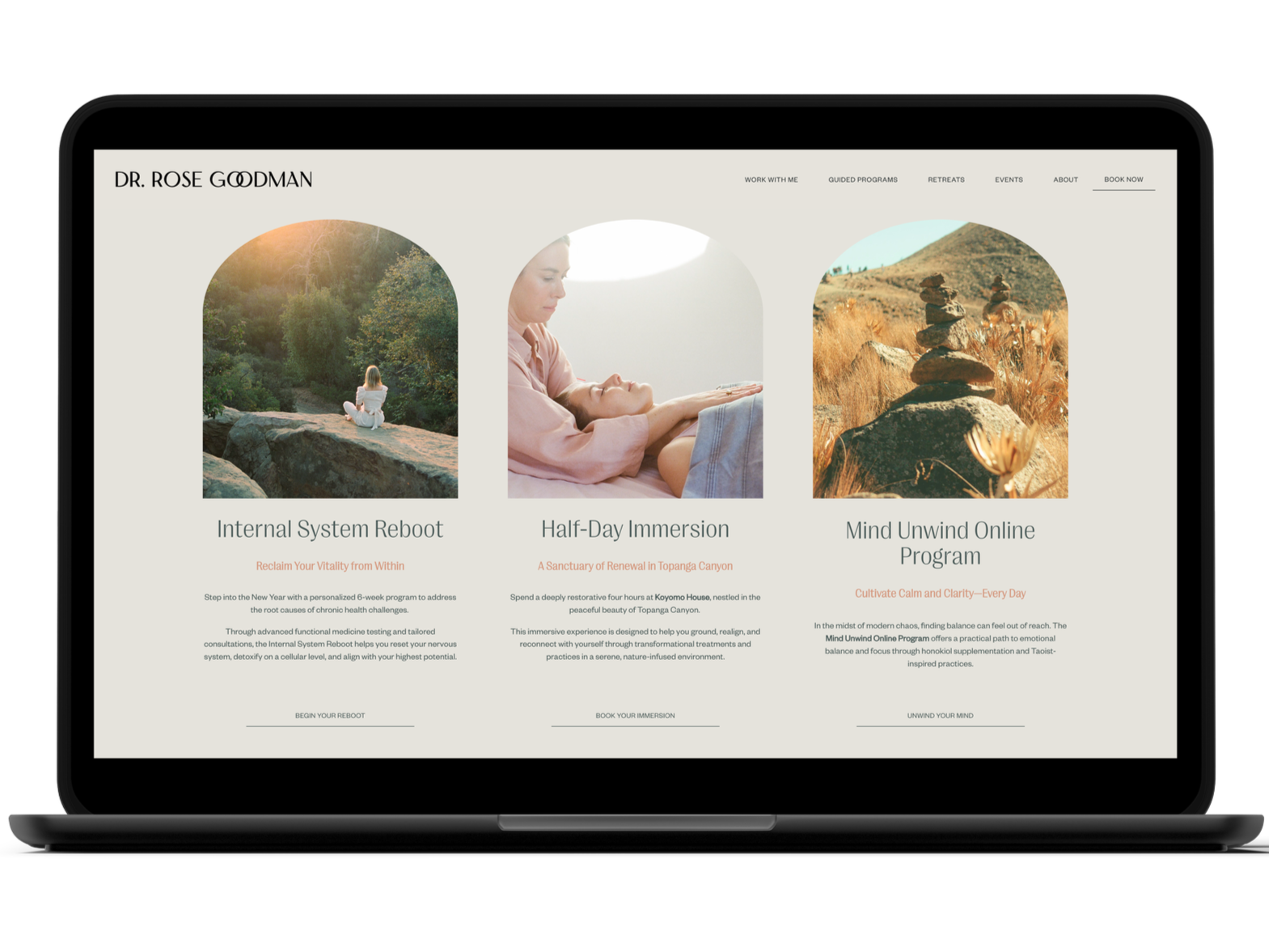
Connected systems that save hours. Automated processes. Seamless data flow between your tools.
Three core principles that go beyond beautiful websites

Communication Mastery
Strategic workflow mapping that connects the right tools. Automation that serves your actual processes.
Squarespace Partner
Deep platform knowledge for native integrations and custom API solutions. Technical expertise that solves complex challenges.

Audience-Resonant Design
User-friendly integrations that your team will actually use. Thoughtful implementation, not just technical setup.
What AH clients say
Jack Barnes
Senior Land Manager, SevenHomes
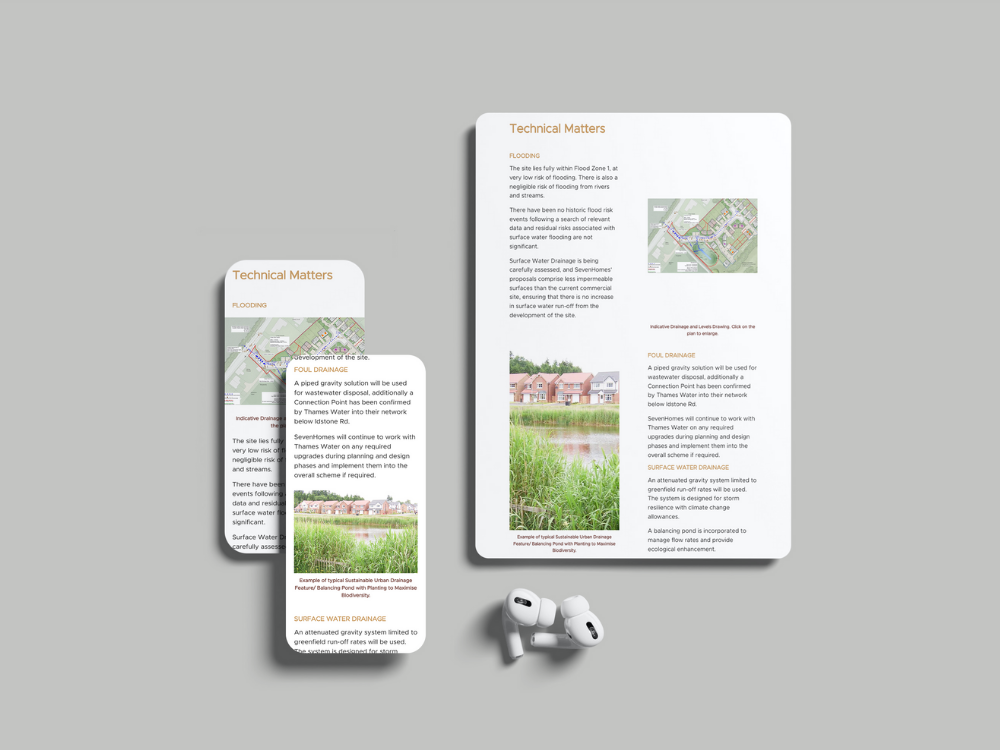
"Anna appointed as lead design consultant created a professional and consistent approach for our public consultation event. A bespoke website was created that enabled us to gather valuable feedback following the event, helping to inform our strategy moving forward. We would not hesitate to work with AH Studio again in the future."

Nazeem Harvey
Founder and CEO, The Dandelion Philosophy
"Anna possesses that rare blend of creativity, technical skill, and leadership. She has consistently exceeded expectations and showcased a keen understanding of our brand identity. She has shaped our marketing and creative operations, provided guidance and support, and has become a respected leader, mentor and role model to her colleagues."

Laura & Joey
Founders, Love of The Moon
"Anna was wonderful to work with. She was knowledgeable and helpful with our project and offered advice to guide us in the right direction. We appreciated the time she took to really understand our needs. She was responsive, kind and professional. Highly recommend!"

Mieczyslaw Nowak
Artist Photographer, Photographic Association Founder
"A great design for the exhibition of my photographs in a historic building, a very interesting graphic layout of invitations and posters and other advertising material. Visitors to my exhibition emphasised this with appreciation."

Sophie Miles
Founder, Mindful Speech Therapy
"Anna was professional, warm and extremely thorough and efficient. She created a website that reflects my vision so well. My expectations were exceeded."
Vilhelmiina Vulli
Head of Media, illuminem
"Anna is a genuinely inspiring powerhouse of a person. Her communication and organisational skills are the glue that binds our team together to deliver value, time and time again. She has a fantastic eye for aesthetics and her creativity have made a significant impact on our brand visibility and engagement."

Andrew Mower
ACCA AFM Expert Tutor & Founder, Andrew Mower Tuition
"Anna helped me set up a Squarespace website. She worked quickly and efficiently, and most importantly was very good at communicating so the website met my needs. Highly recommended!"
Laura Wilkinson
Strategic Communications & Copywriting Professional
"Anna is a valuable asset to any creative team. Her creativity and attention to detail has significantly elevated our brand's identity and she consistently delivers stunning designs that resonate with our audience. I wholeheartedly recommend Anna for any role that demands a highly skilled, creative, and strategic graphic designer."
Lee Jones
Senior Technical Manager, SevenHomes
"Anna demonstrates exceptional professionalism and a real understanding of content and clients' needs, together with a beautiful flair for creative, contemporary and exciting design. Her knowledge and expertise are a real asset to the forward thinking promotion of any business."
Mohebat Rezvani
Serial Entrepreneur and Business Consultant
"Anna is not just a Team Director and Master Planner; she's the creative force that brings unmatched design flair to our projects. Her reliability in the face of big challenges is truly commendable. She fosters a friendly atmosphere, making every project enjoyable while ensuring accountability."
Sarah Voltmann
Founder & CEO, The Tarsus Project
"Anna has an incredible ability to translate business strategy into beautiful visuals. What matters most is that she's a solid sounding board for ideas and can help identify holes in user experience. A beautiful logo and web page are great, but a competent thought partner is priceless!"
Nazeem Harvey
Founder and CEO, The Dandelion Philosophy
"Anna is an incredible leader. She has been the driving force behind our revamped website and the production of incredible marketing materials. Her knack for efficiency has made our creative team shine. She is not just a talented designer but a powerhouse of creativity and leadership who makes everyone around her feel motivated and valued."

Karolina Łochowska
Yoga Coach & Founder, Ka Yoga
"From start to finish, the entire experience was seamless and truly professional. AH Studio brings exceptional creative flair to website design, turning my vision into something far beyond what I had imagined. Anna's talent for crafting a cohesive brand identity and elevating my online presence was remarkable. My brand has never looked better!"
Michał Czech
General Manager, Tensator
"Cooperation with Anna allowed us to increase our competitive advantage in many projects, which enabled us to acquire new clients and develop cooperation with existing ones. I recommend Anna as a professional, committed to cooperation and effective in carrying out tasks."

Jonathon Simonetis
Founder, Laser Tag Tasmania
"Anna fully understood my job requirements. She assisted with rebranding and creating new content for my website on Squarespace. Her communication was clear and concise, and she provided well-considered options. The job was completed within agreed timelines. I would have no hesitation working with her again."

Erica Key
CLO & Co-Founder, Learning Seeds
"Anna truly cared about our mission and this project. She created a playful, on-brand landing page that makes me smile each time I see it. She had good suggestions for content segmentation and a very collaborative 'we can' attitude. We'd love to work with her again."

Sean Kirby
Founder, Kirby Decor
"Hiring Anna to revamp my website proved to be a great decision. She smoothly migrated the site to a new platform and created fresh content for new pages. The website is fully responsive, ensuring a seamless user experience across all devices. Anna's strategic approach, combined with her expertise and eye for design, resulted in a website that looks great and translates to business growth."

Paul
Founder, Bubble Hospitality & SOI
"I would highly recommend Anna as a designer. Her design concepts are amazing. I've used Anna's services for multiple complex concepts and she has delivered every time. She is a great communicator and demonstrates a willingness that others don't."
Kathleen Fariss
Strategist, Leadership Coach & Change Agent
"If you're looking for a kind and experienced professional who can help launch your brand, Anna is someone you want on your team. She helps businesses position themselves, generate leads and make it easier for clients to find your business. She's tech savvy and fun to work with. I recommend her to any client looking to elevate their brand!"
Laura Wilkinson
Copywriting Freelancer
"I worked with Anna for 2 years and she always went above and beyond in producing designs that complemented our brand and messaging. She considers all elements of a project and always brought a unique approach. I'd highly recommend using her services!"
Jessica Wilkinson
Marketing and Social Media Executive
"Anna is a brilliant graphic designer with a keen eye for detail and composition. Every piece of work she produces is meticulously planned and executed resulting in stunning finished products. She's fantastic at turning clients' visions into something beautiful and on brand. I would highly recommend her!"
Real Results. Real Partnerships.
Frequently Asked QuestionsIntegration Questions Answered
What's the difference between native integrations and Zapier?
Native integrations connect directly within Squarespace settings without third-party platforms. They're typically simpler, free (no subscription required), and more reliable. Examples include Acuity Scheduling, Mailchimp, Google Analytics, and social media. Zapier acts as middleware connecting
Squarespace with thousands of other apps, enabling complex multi-step workflows and tools without native integration. Zapier/Make typically require a paid plan for business use, but provide significantly more flexibility.
For simple needs, native integrations are preferred. For complex workflows, the capabilities justify the investment.
Do I need to pay for automation tools?
Zapier and Make offer limited free tiers, but business use generally requires paid plans. These subscriptions are separate from integration setup fees.
Some of the native Squarespace integrations (Acuity, Wenta) do require additional platform fees.
I'll recommend the simplest reliable setup—and flag any subscription costs upfront. Discovery clarifies which tools need subscriptions based on your requirements.
How long does integration setup take?
Simple single integrations—like adding Mailchimp signup—can configure in hours to one day. Complex integrations like complete Acuity Scheduling setup with multiple services, payment collection, and calendar syncing typically take 1–2 weeks including testing.
Multi-integration projects connecting several tools with coordinated workflows may require 2–3 weeks. Custom API integrations needing development work can extend to 3–4 weeks. Timeline also depends on account access speed and decision-making during setup.
What happens if an integration breaks?
Integrations occasionally fail when connected services update APIs or change functionality.
When this happens, the integration needs updating to accommodate new specifications. If within post-launch support period, fixes are included. After that, troubleshooting is handled through ongoing maintenance packages or consultation rates.
Choosing established platforms (Zapier, native Squarespace integrations) minimises risk. Monthly maintenance packages catch issues proactively.
Can you automate my entire workflow?
Many processes can be automated, but not everything should be. Automation excels at repetitive tasks, data transfer, notifications, and conditional logic—appointment confirmations, contact management, email sequences, payment processing.
Tasks requiring human judgement, complex decision-making, or creative work can't be fully automated. Discovery maps current processes identifying genuine automation opportunities versus areas needing human involvement.
The goal is automating administrative work, freeing time for high-value activities only humans can do.
Do I need technical knowledge to manage integrations?
Not for day-to-day use. Once configured and tested, integrations run automatically. Training covers any admin tasks you'll need—updating service pricing in Acuity, managing Mailchimp lists, viewing automation logs.
Most clients manage ongoing needs comfortably. For changes to automation logic, adding new integrations, or troubleshooting, technical help is available through support packages or consultations—you don't need to become a technical expert.
A note on scope: If you need highly custom API connections or proprietary software integration, we'll assess feasibility and discuss whether it's possible within Squarespace's framework.
Let's Map Your Workflow
Book a discovery call to discuss your current manual processes, the tools you use, and where automation could genuinely help your business operate more efficiently.
No pressure, no sales pitch—just an honest conversation about your business and how to move forward.
York's only dedicated wheel-throwing studio was selling courses, taster sessions, private events and memberships entirely by email. Now the website does it.