The short answer: for most small service businesses, Squarespace is the more sensible choice. It looks after hosting, security and software updates for you, costs a predictable amount each year, and gives Google everything it needs to find you. WordPress is more flexible, but that flexibility comes with ongoing technical work that someone has to do, and someone has to pay for.
I build only on Squarespace, so I'm not neutral. That's why this guide shows the numbers and where they come from, and it's clear about when I'd point you to a different platform.

Squarespace vs WordPress at a glance
| Squarespace | WordPress | |
|---|---|---|
| How it works | All-in-one hosted platform | Free software on hosting you rent |
| Yearly running cost | £144–£348 | £480–£2,160 |
| Updates and security | Handled by Squarespace | You or your developer |
| Plugins | None needed, features are built in | Thousands, each updated separately |
| Changing layouts | Visual editor, no code | Often needs a developer |
| Best for | Service businesses, portfolios, small shops | Large or highly custom sites |
What you're really choosing between
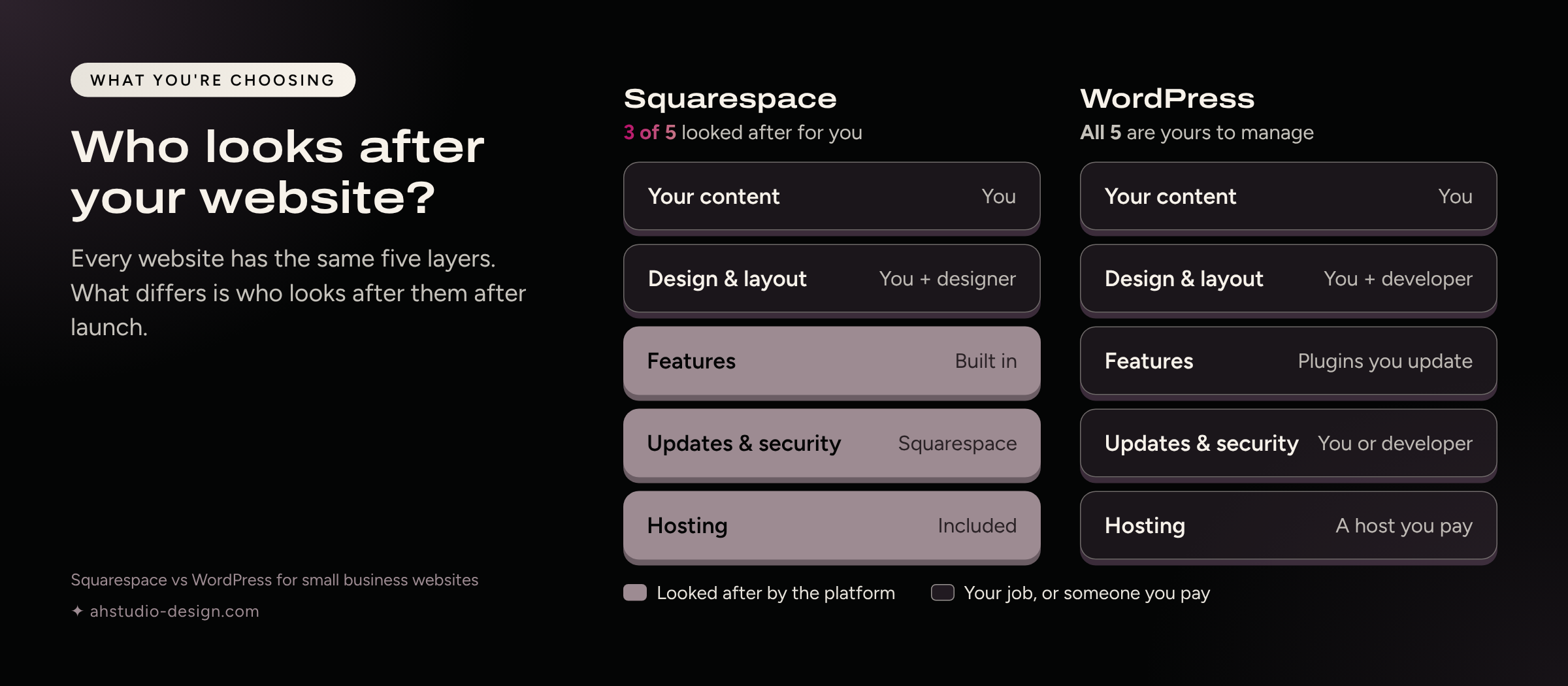
The two platforms work in different ways, and that difference explains almost everything else in this guide.
WordPress is free software that you install on hosting you rent. You add a theme for the design and plugins for features such as contact forms, SEO and backups. You can build almost anything, and you're responsible for keeping every part updated and working together.
Squarespace is a hosted platform. You pay one subscription, and hosting, security, updates and the core features are built in. You can't install third-party plugins, so there's less you can bolt on, and less that can break.
WordPress runs around four in ten websites, so it's often the default choice. Popular isn't the same as right for your business, though. A more useful question is: who's going to look after the website once it's live?
How much does a small business website cost to run?
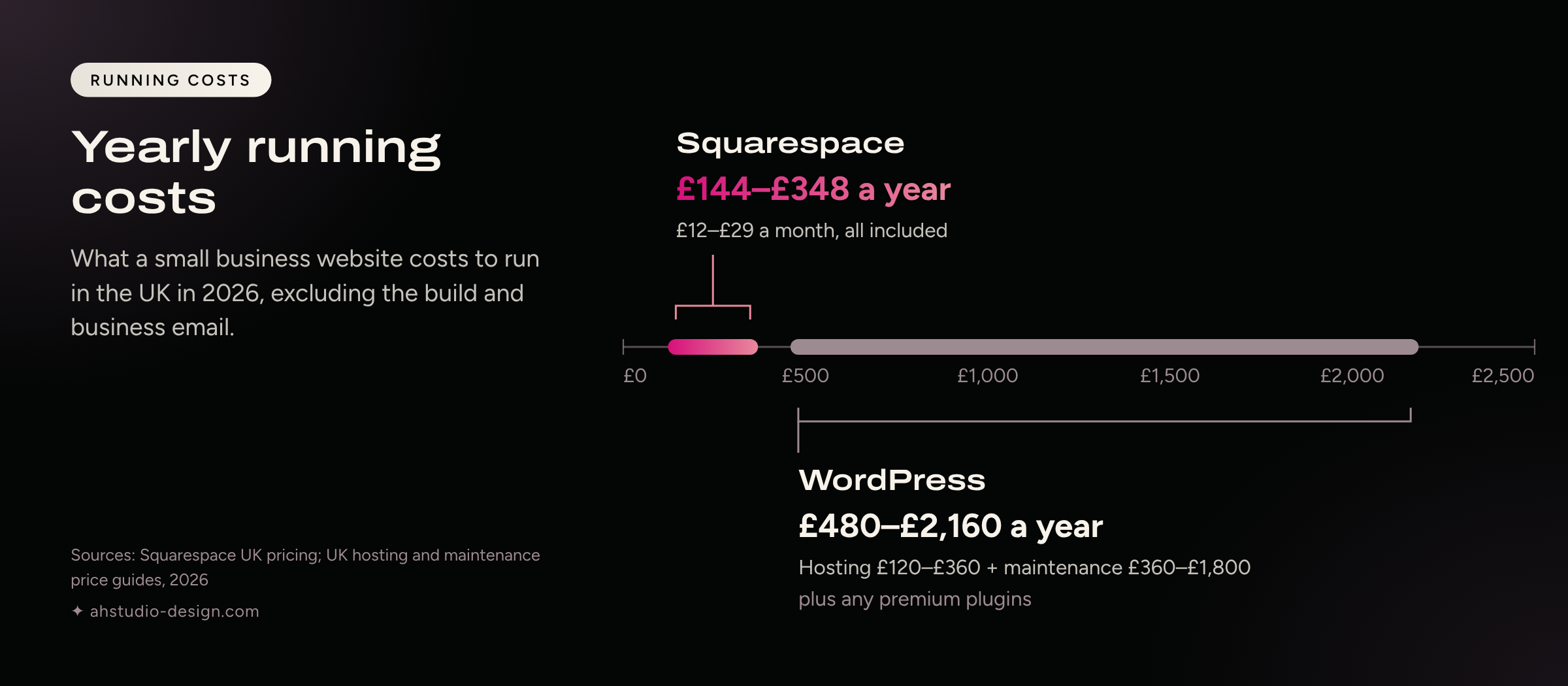
On Squarespace, most service businesses pay £144–£348 a year. A comparable WordPress site usually costs £480–£2,160 a year once you add hosting and a maintenance plan.
Squarespace's UK plans cost £12 to £79 a month on annual billing. Most service businesses only need Basic (£12) or Core (£17), and Plus (£29) suits growing online shops. Every plan includes hosting, SSL, templates, forms, analytics and support, and your domain is free for the first year.
Running WordPress well usually means paying for:
Managed hosting: around £10–£30 a month
A maintenance plan for updates, backups and security checks: around £30–£150 a month
Premium plugins: up to around £300 a year, depending on what your site needs
To be fair to WordPress, you can run it for less if you do the maintenance yourself. You pay in time instead, and you need to know what to do when an update breaks something.
Both platforms charge separately for business email, such as Google Workspace, so I've left it out. Designing and building the site is a separate cost on either platform.
Is Squarespace more secure than WordPress?
For most small businesses, yes, mainly because there are no third-party plugins to keep patched.
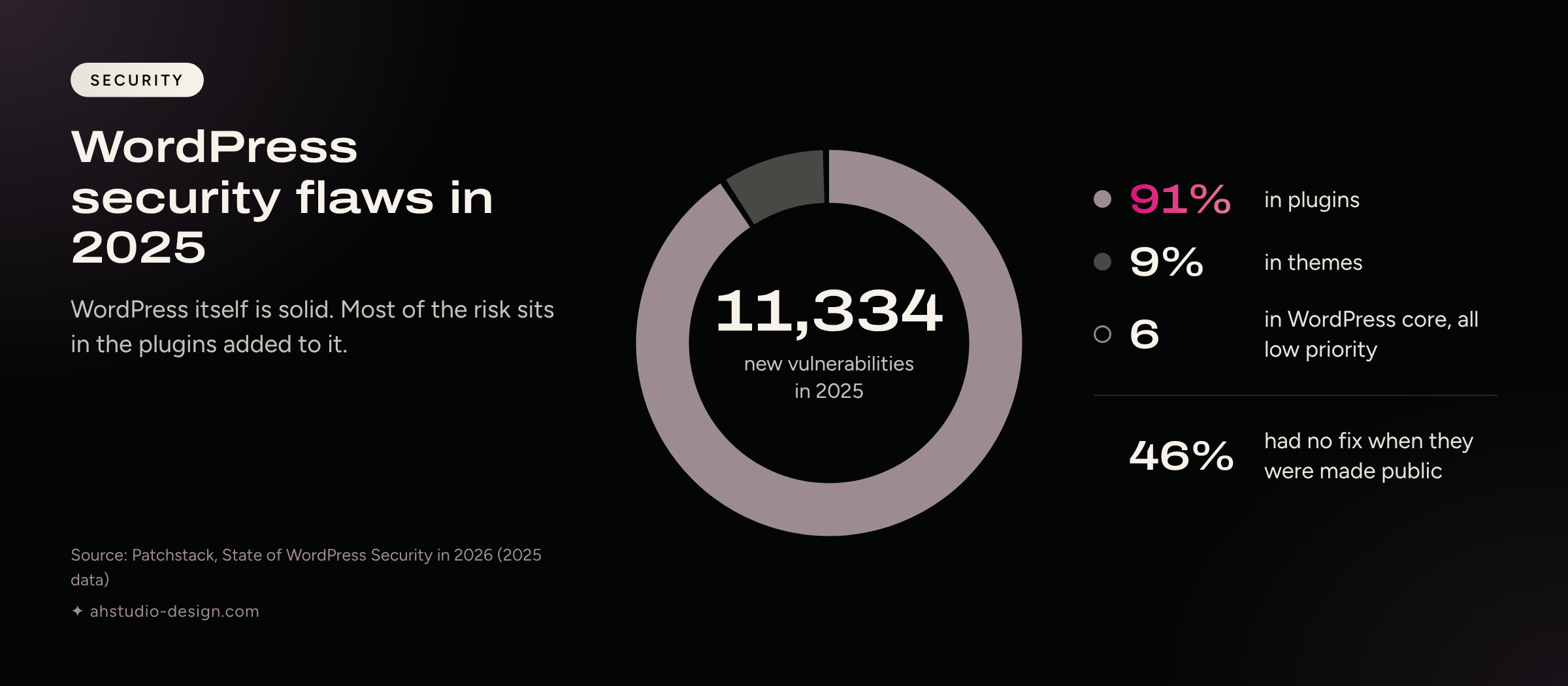
WordPress itself is well maintained. Patchstack's 2026 security report found just six vulnerabilities in WordPress core during 2025, all low priority. The risk sits in the add-ons. Of the 11,334 new vulnerabilities found in the WordPress ecosystem that year, 91% were in plugins and 9% in themes. Almost half (46%) had no fix available when they were made public.
That doesn't make WordPress unsafe. A well-run site with few plugins, regular updates and good hosting is secure. But someone has to do that work every month, and a missed update is how most small sites get into trouble.
On Squarespace, the platform is patched for you, every site gets a free SSL certificate, and there are no plugins to fall behind on. Your part is the same as with any online account: use a strong password and turn on two-step verification.
Can you update a Squarespace site yourself?
Yes. Squarespace's visual editor shows your changes as you make them, so updating text, prices, photos or opening hours takes minutes, without a developer.
WordPress's block editor is perfectly usable for editing a paragraph, so the difference isn't there. It shows up when you want to change a layout, add a section or try a new feature. On a custom WordPress build, that often means going back to your developer. On Squarespace, most of those changes are within your reach once you know your way around.
I give every client a live training session and recorded walkthroughs at handover, so your team can manage the site from day one.
Is Squarespace good for SEO?
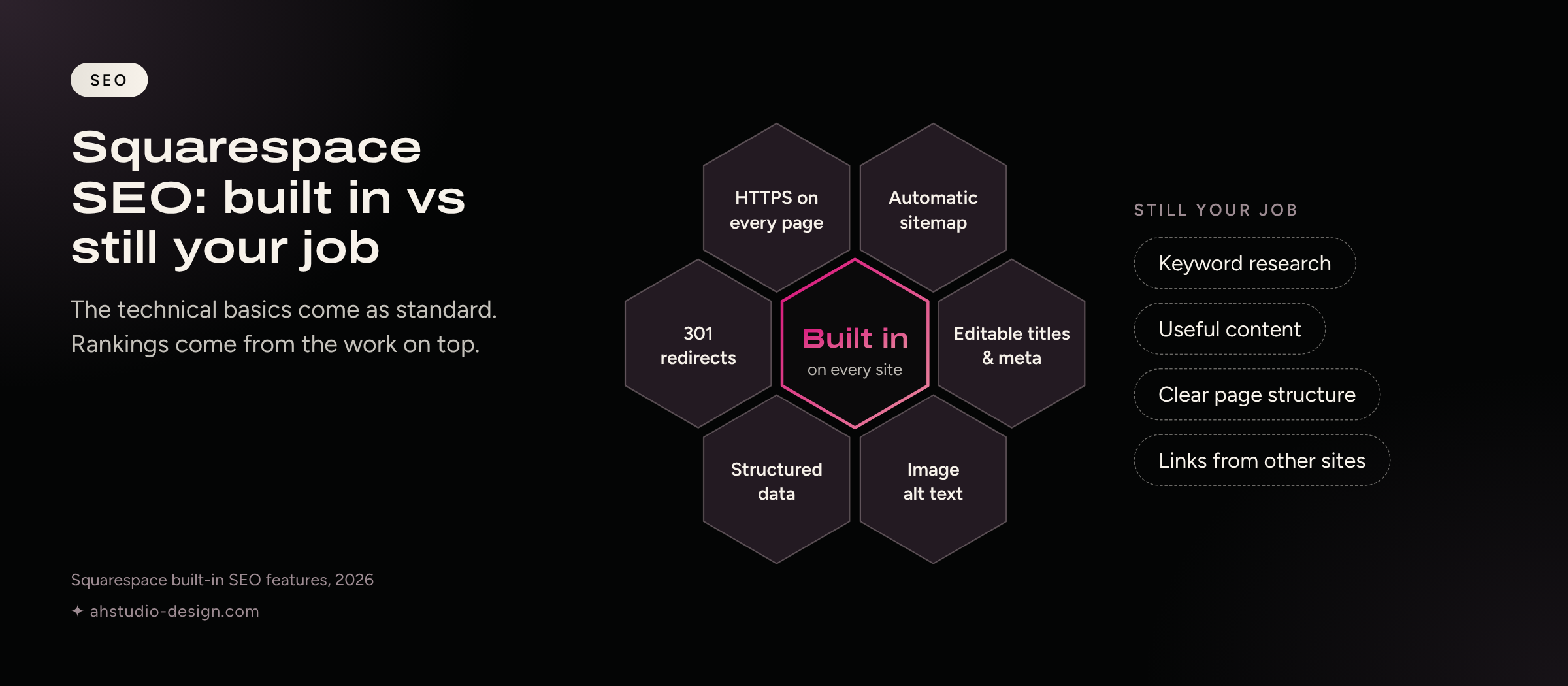
Yes. Squarespace covers the technical basics Google expects. What decides your rankings is the same on any platform: useful content, a clear structure and pages that match what people search for.
Every Squarespace site includes:
HTTPS on every page
An automatic XML sitemap
Editable page titles, meta descriptions and URLs
Image alt text
Structured data for blog posts, products, events and your business details
301 redirects for pages that move
A built-in connection to Google Search Console
The idea that "you can't do SEO on Squarespace" comes from the platform's early years. Today, the gap between a site that ranks and one that doesn't is almost always content and structure, not the platform. I've covered this in more depth in what actually matters for Squarespace SEO in 2026.
What Squarespace won't do is research your keywords, write your pages or earn links from other sites. That part is strategy, and it's where most of the results come from.
Does Squarespace work well on phones?
Yes. Every Squarespace template is responsive, and you can fine-tune the mobile layout separately in the editor.
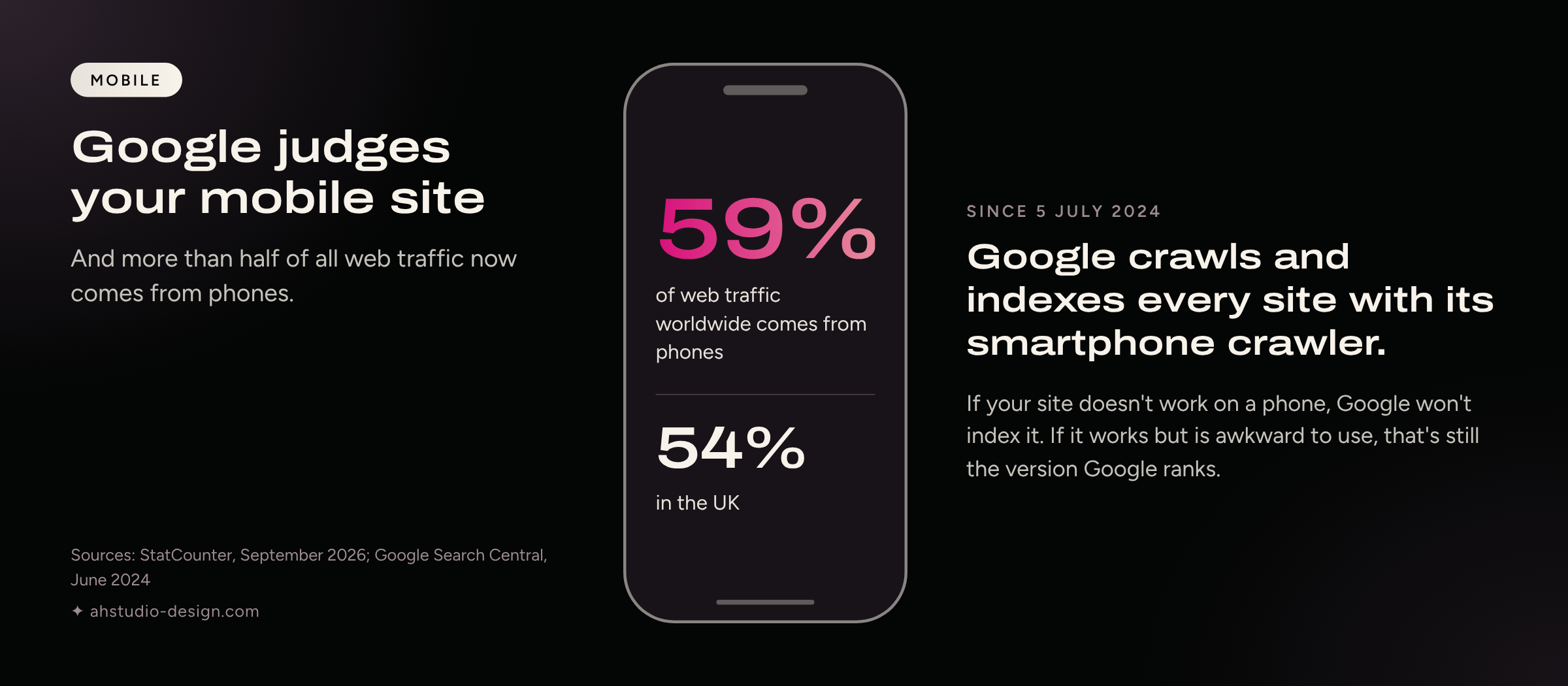
This matters for search as well as for your visitors. Since July 2024, Google has crawled and indexed every site with its smartphone crawler, so the mobile version of your site is the one it judges. More than half of web traffic now comes from phones: 59% worldwide and 54% in the UK in September 2026, according to StatCounter. Your own split is in Squarespace under Analytics → Traffic, broken down by device.
A responsive template is the starting point, not the finish line. Large images, video backgrounds and long pages can still slow a site down on mobile data, whatever the platform. This speech therapy website is a good example of a site planned around how people use it on their phones.
When Squarespace isn't the right choice
Squarespace suits most service businesses, but not every project. I'd suggest something else if you need:
A large or complex online shop. Hundreds of products, complicated variants or multi-currency selling usually work better on Shopify.
Custom functionality. A searchable member directory, a quoting tool linked to your own systems, or anything else that needs its own database points to WordPress or a custom build.
Full control of your files. You can't move a Squarespace site to your own server. You can export some content, but the design stays on Squarespace.
If one of these sounds like your business, tell me when you get in touch. You'll get an honest view, even if that means a different platform.
What a Squarespace Gold Partner adds
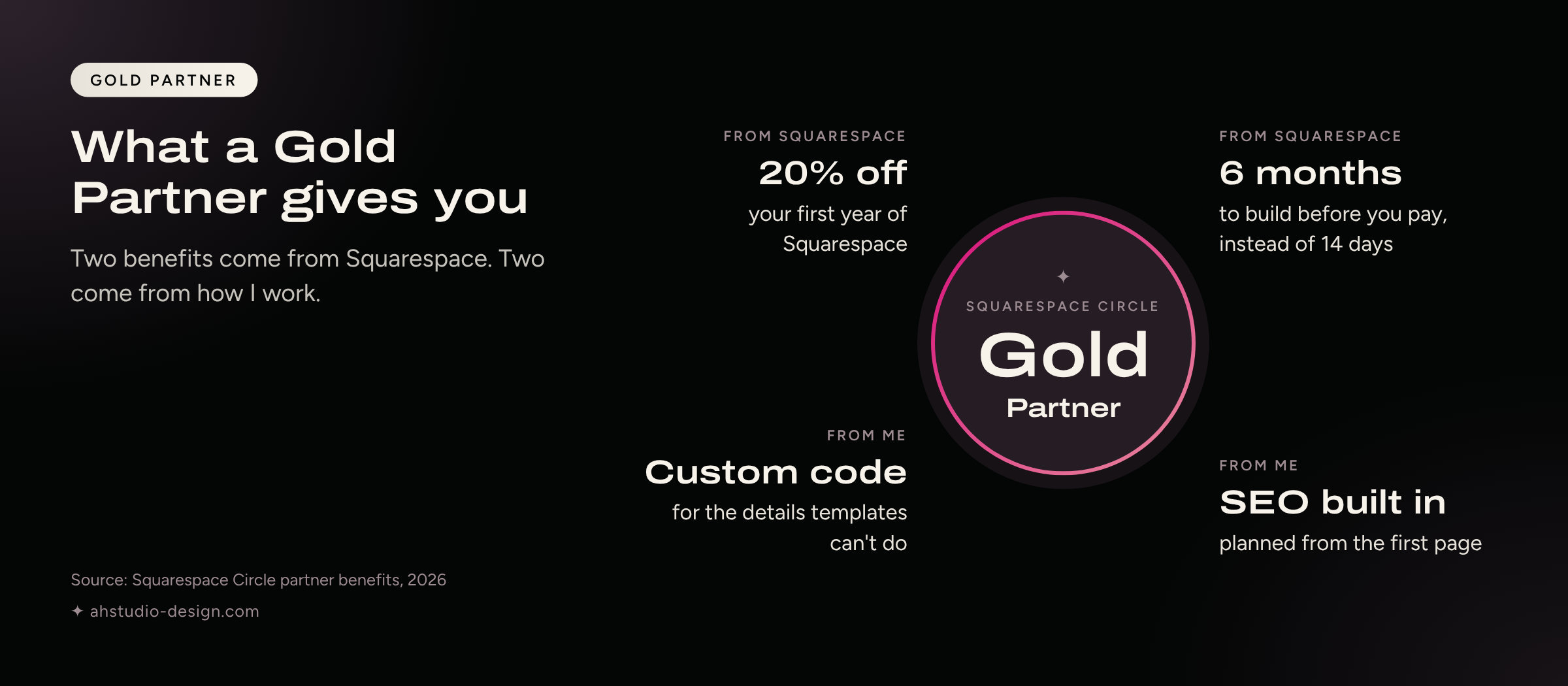
Squarespace is easy to start on and harder to get right. Gold Partner is a level in Circle, Squarespace's partner programme, earned through the client sites a designer builds and manages on the platform.
Working with me as a Gold Partner gives you:
20% off your first year on a new annual Squarespace plan
Up to six months to build before you pay for a plan, instead of the standard 14-day trial
Custom code and styling where the templates stop
SEO and site structure planned from the first page, not added at the end
You can see my Squarespace partner status and credentials, or read more about how I approach website design.
Frequently asked questions
-
Usually, once you count maintenance. Most service businesses pay £144–£348 a year for Squarespace, while a maintained WordPress site typically costs £480–£2,160 a year. WordPress can cost less if you maintain it yourself.
-
Yes, if the move is planned. Map every old URL to its new address with a 301 redirect, keep the content that already ranks, and resubmit your sitemap after launch. My guide to moving a website without losing SEO walks through each step, and my WordPress to Squarespace migration service handles it for you.
-
No. Day-to-day updates happen in the visual editor. You might bring in a designer for a redesign, custom code or SEO strategy, but not to change a price or a photo.
-
Yes. Every plan can sell, and Core and above charge no Squarespace transaction fees (payment processing fees still apply). For very large catalogues, Shopify is often the better fit.
-
For most service-based small businesses, yes. It's quick to launch, easy to update and costs a predictable amount each year. It's less suited to large online shops or sites that need custom software.
Thinking about Squarespace for your business?
If you're weighing up a new website, or you're tired of maintaining the one you've got, tell me about your business and what isn't working. I'll reply personally with an honest view of the best way forward, whichever platform that turns out to be.
Sources: Squarespace UK pricing, 2026; Patchstack, State of WordPress Security in 2026; StatCounter Global Stats, September 2026; Google Search Central, June 2024; W3Techs, 2026; UK hosting and maintenance ranges from published 2026 UK price guides.
If you found this useful, these might be worth a read too.